

You can download attendance reports from your Zoom sessions, and see when attendees logged in and out, and how long they stayed. Log in to Zoom Select ‘Reports’ on the left navigation bar, then select ‘Usage.’ Set the duration of Continue reading
https://sandiego.hosted.panopto.com/Panopto/Pages/Viewer.aspx?id=3e94058e-a156-4bc7-b6de-abdb011d5ae8
https://support.panopto.com/s/article/Use-Assignment-Folders-for-Student-Recordings An assignment folder is a subfolder that shares a user list with its parent folder. Those with Viewer access to the parent folder have the ability to record and upload videos to the assignment folder. To learn about folder sharing permissions for parent Continue reading
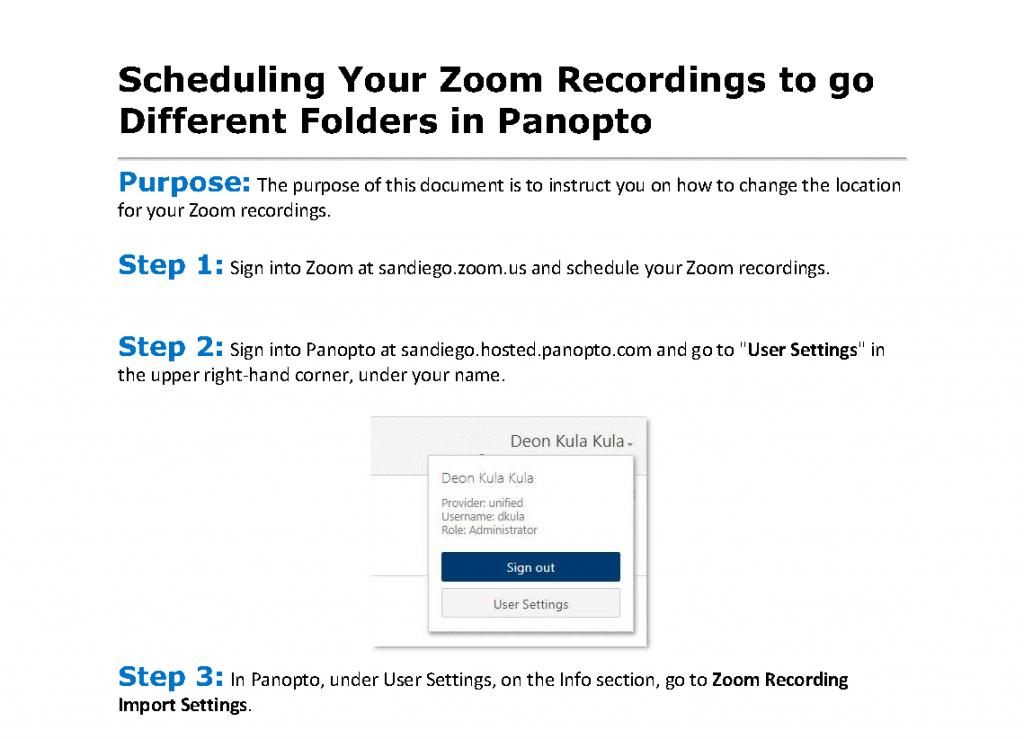
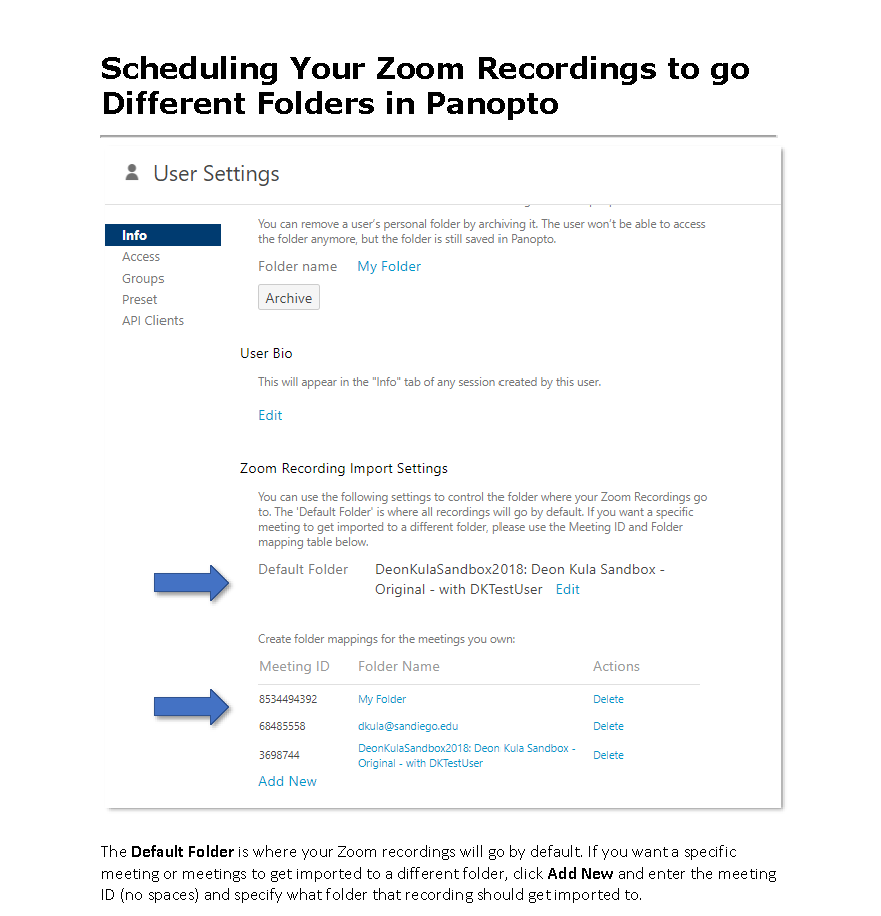
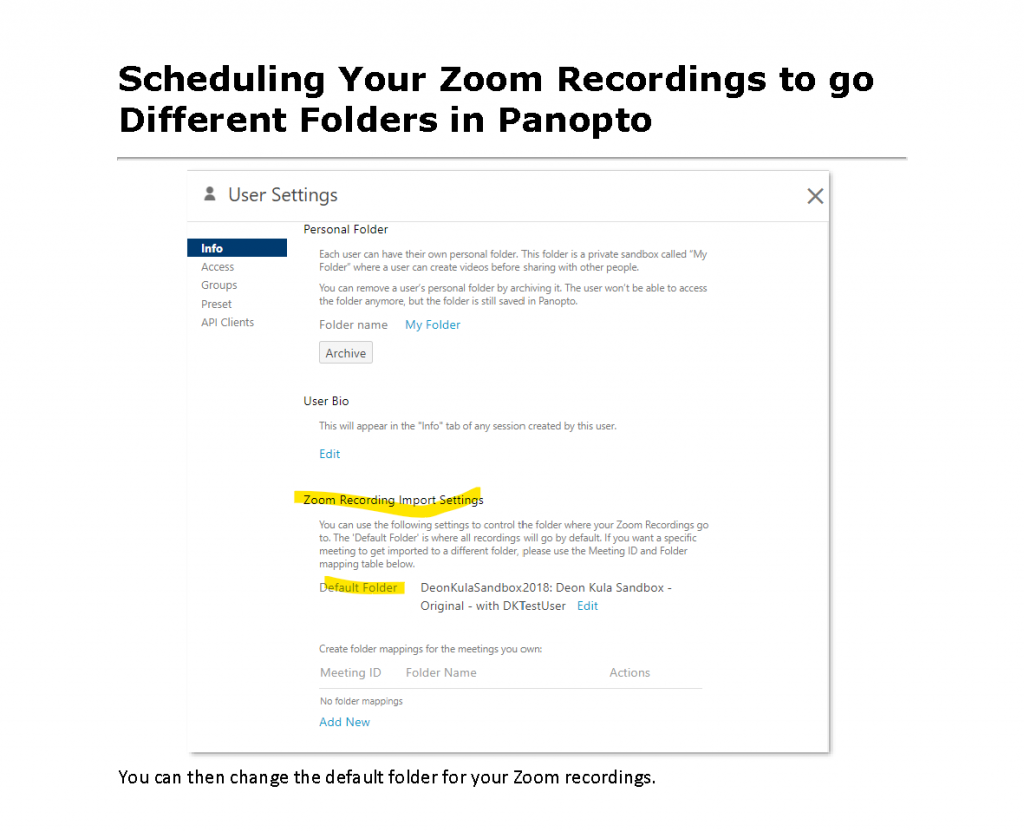
Purpose: The purpose of this document is to instruct you on how to change the location for your Zoom recordings. Step 1: Sign into Zoom at sandiego.zoom.us and schedule your Zoom recordings. Step 2: Sign into Panopto at sandiego.hosted.panopto.com and Continue reading