

If your CoursEval link does not show in you Canvas course navigation panel, here is a step by step guide on how to add it and make it visible to students.
Step One- Go to your existing Canvas course’s home page, and open an existing course page. On the left hand side of the page is the Navigation pane…
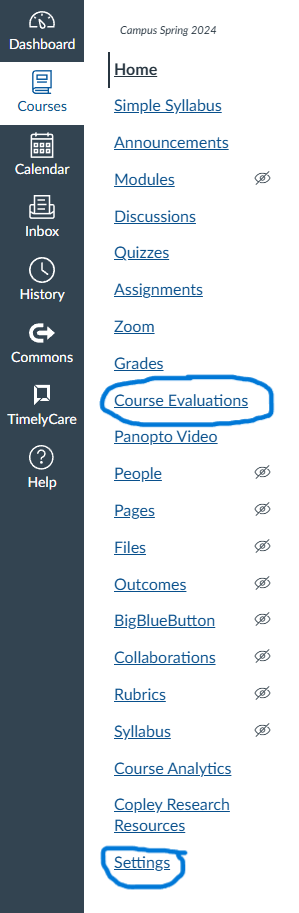
If the “Course Evaluation” link does not appear, click on the settings link at the bottom of the list.
In the Settings page, click on the Nav tab toward the top of the page…

On the Navigations tab, scroll down until you see the “Course Evaluation” link.
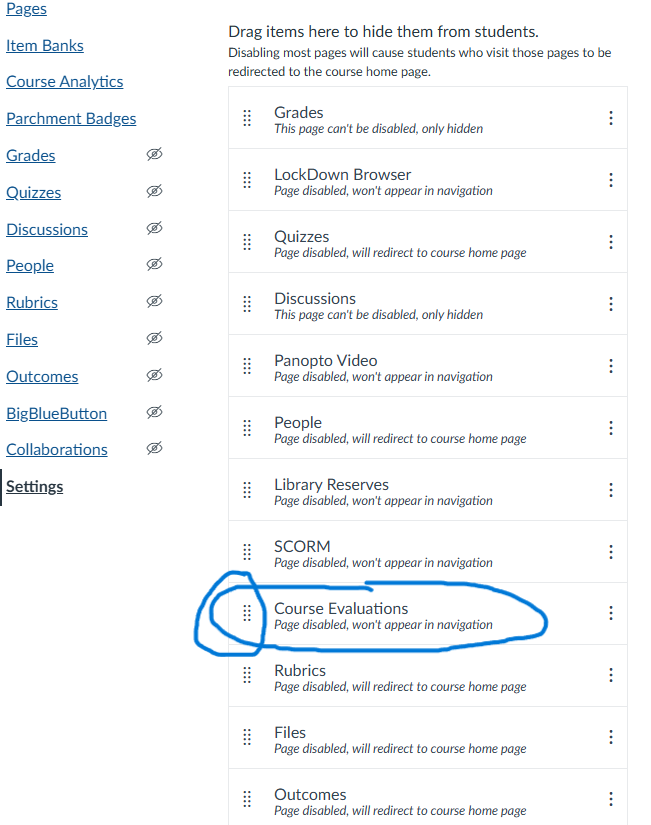
Click and hold on the 8 diagnal dots next to the item, and drag and drop the item into the visible section (under Home) at the top of the page. MAKE SURE TO CLICK SAVE AT THE BOTTOM OF THE PAGE BEFORE LEAVING THE SECTION.
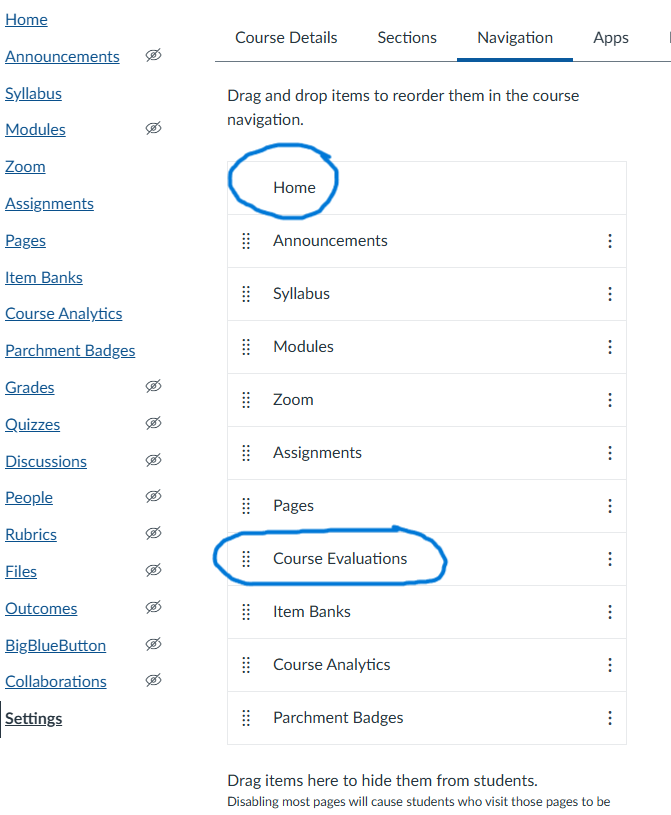
The CoursEval link should now appear in the Navigation panel of the your Course.